ScreenJournal for offshore teams
Updated on 14 September 2026
When your offshore team works while you sleep, every question about their day waits for an overlap window, and the proof is usually screenshots you have to interpret. ScreenJournal writes a timeline of what each person actually did overnight, prepares the timesheets, and answers questions in plain English when your morning starts.
Why is offshore work so hard to verify?
Because the work happens while you are offline, verification defaults to proxies: hours logged, activity percentages, screenshots sampled through the night. Proxies are weak evidence and slow to check. A question asked at your 9am is often answered at your next 9am, after a full cycle of the time-zone gap, and by then it has usually grown into a longer thread.
The proxies also point both ways. Managers doubt the numbers because activity percentages are easy to inflate, and good offshore engineers and analysts resent being reduced to input counts and sampled captures. The result is a standing tax on trust: more check-in calls in the narrow overlap window, more screenshots nobody wants to review, and still no clear answer to "what actually got done yesterday".
How does ScreenJournal show what happened while you slept?
By writing it down as it happens. ScreenJournal is an AI work visibility tool that reads on-screen work as it happens, turns it into a detailed timeline of what each person actually did, and then, by default, deletes the raw screen data. Timelines accumulate into a searchable chronicle of everyone's work history, and from them ScreenJournal generates timesheets and reports automatically and drafts standup summaries on request, answering questions about any of it in plain English.
Whether the team is in Manila, Bengaluru or Buenos Aires, each person's day becomes a work timeline: entries with the app, a plain-English description of the work, its duration and a score, expandable for context. Your morning starts with answers instead of a reconstruction: read the timeline, open the Overview or the weekly Ranking, or ask the AI directly, "what did the team ship overnight and what is stuck". Proof: the Assistant chat (Ask AI) open beside the dashboard, showing the data it consulted before answering.
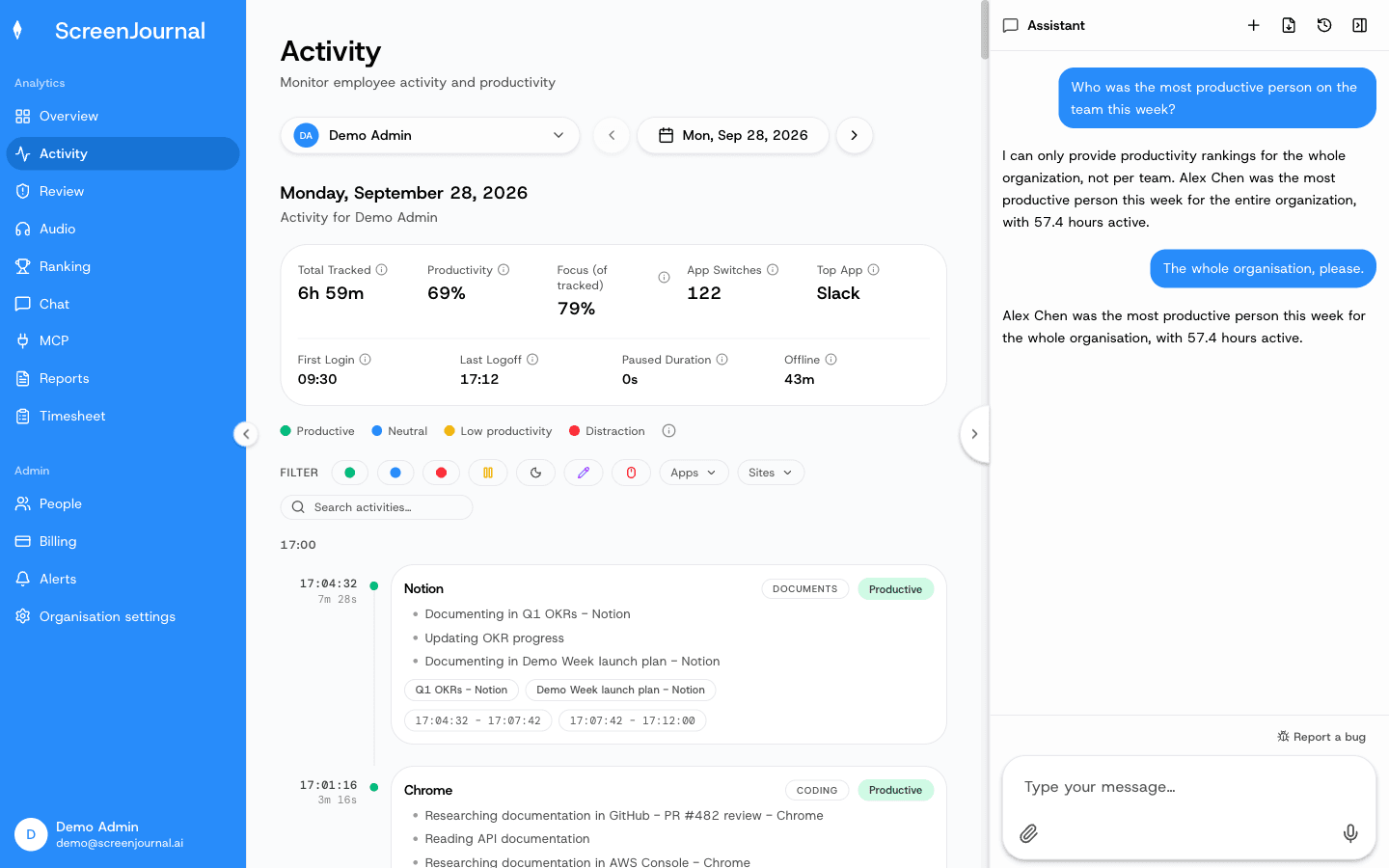
How are offshore hours verified for billing?
Hours are verified by the work inside them, not by a timer next to them. The Timesheet page turns tracked hours into pay per person per week or month; each day opens into the segments behind it, and any day or segment can be excluded before the invoice is sent or approved. Proof: the Timesheet page, with billable hours, overtime, days worked and amount due for one person and a row per day that opens into its segments.
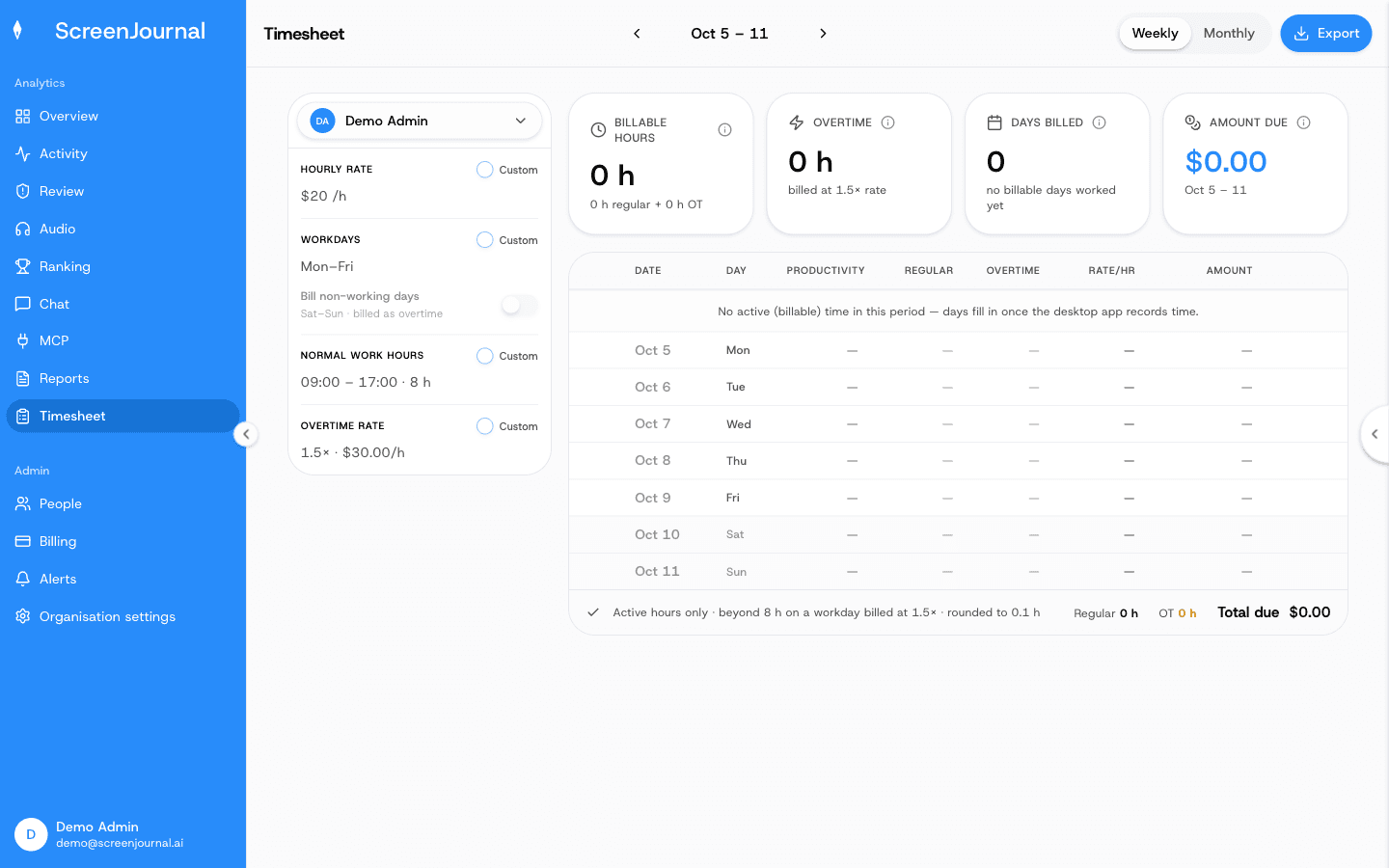
This works from either side of the contract. An offshore vendor can hand clients timesheets that trace to described work, and a company buying offshore capacity can verify an invoice by reading it rather than sampling footage.
How does the chronicle shrink the time-zone gap?
The chronicle makes the other shift's work searchable, so questions stop waiting for the overlap window. Yesterday's handover question, "how did they fix the failed deployment", becomes a search or a message to the ScreenJournal chat or MCP, answered from the derived record and permission-scoped by role. New hires on either side of the gap can learn how the other team actually does a piece of work instead of booking a call across nine and a half time zones. The details are on the work chronicle page. Proof: the Assistant chat (Ask AI) open beside the dashboard, showing the data it consulted before answering.
Is ScreenJournal fair to the offshore team?
Yes, and deliberately so, because distance makes surveillance feel worse, not better. There are no screenshots, and no stored video by default: raw screen data is deleted during processing, and a manager who needs video evidence can opt in through Evidence Mode to keep recordings for up to 3 months. Apps and sites on the organisation's privacy exclusion list, such as banking, payroll, HR and health, are never captured, and employees can redact entries when the organisation allows it; a redacted entry is erased entirely and never appears in anyone's search.
Transparency is structural rather than promised. Employees see the same activity view their managers do, an admin can correct any score the AI misread, and nudges are off until an admin writes an alert rule. The record that protects the company also serves the employee: two focused hours of excellent work are visible as exactly that, wherever in the world they happened. Proof: the Activity page, one person's day as scored segments with the app, time range, duration and an AI-written description; hover a segment for Correct score, Play recording and Redact, each gated by role and policy.
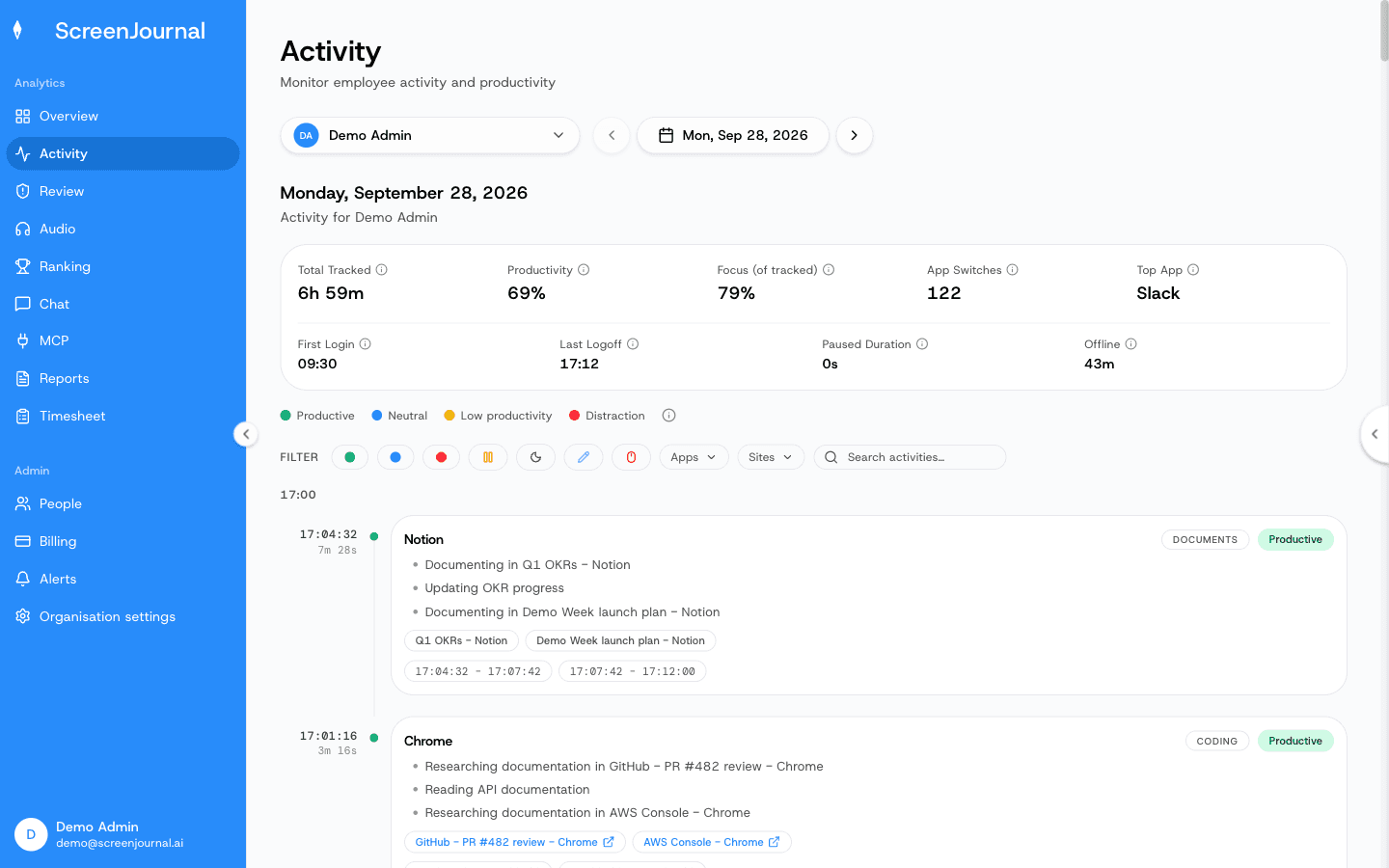
When is ScreenJournal not the right fit for an offshore team?
If a client or regulator contractually requires stored screenshot evidence, a screenshot tracker fits that clause: ScreenJournal takes no screenshots, and the nearest thing it offers is replayable recordings where a manager has opted in to Evidence Mode, kept for up to 3 months. The same is true if you specifically want a timer-first workflow with activity percentages rather than a record of the work. The trade-offs are laid out honestly on ScreenJournal vs screenshot trackers.
Frequently asked questions
Can I see what my offshore team did while I was asleep?
Yes. Each person's timeline is written as they work, so by your morning it reads as a plain-English record of their day. You can read it entry by entry, or ask the AI chat for the summary and the exceptions.
Do offshore employees need to start a timer?
No. The timeline is written automatically from on-screen work, so there is no timer to start, stop or forget. Timesheets are prepared from that record and reviewed rather than typed in.
Does ScreenJournal work for an offshore vendor proving hours to clients?
Yes, the proof runs in both directions. A vendor sends timesheets whose lines trace back to described work, and a client verifies an invoice by reading what was done instead of auditing screenshots.
Can the team dispute what the AI writes?
Yes. Employees see the same activity view their managers do, see the same scores, and can redact segments when the organisation allows it.
See the work itself, not screenshots of it
Timesheets, reports and answers from the work your team actually did. Available for Windows and macOS, with Linux and mobile support coming soon.